Add Custom Marker to Google Map
- سُلَيْمَان بْن دَاوُوْد

- Jun 11, 2020
- 1 min read
<div id="map"></div><?phpif(have_rows('distribution_locations')){while (have_rows('distribution_locations')) {the_row();$locations[] = array( 'title' => get_sub_field('location'), 'lat' => get_sub_field('latitude'), 'long' => get_sub_field('longitude')); }}?><script>function initCurrentTOurMap() {var map = new google.maps.Map( document.getElementById('map'), { zoom : 7, center : {lat: 34.9445, lng: -119.6872 }, mapTypeControl : false, streetViewControl : false } );var json = <?php echo json_encode($locations);?> ;length = json.length;var data = '';var info = ''; for (var i = 0; i < json.length; i++) { var data = json[i]; var latLng = new google.maps.LatLng(data.lat, data.long); var infoWindow = new google.maps.InfoWindow(); var info = '<div class="map-info"> <p>'+data.title+'</p><p><a target="_blank" href="http://www.google.com/maps/place/'+data.lat+','+data.long+'">Get Directions</a></p></div>'; var marker = new google.maps.Marker({ position : latLng, map : map, title : data.title, icon : '<?php echo get_template_directory_uri();?>/images/pin.png', animation : google.maps.Animation.DROP }); bindInfoWindow(marker, map, infoWindow, info);}function bindInfoWindow(marker, map, infowindow, info) { google.maps.event.addListener(marker, 'click', function() { infoWindow.close(); infoWindow.setContent(info); infoWindow.open(map, marker); });}}</script><script async defer src="https://maps.googleapis.com/maps/api/js?key=AIRafyCqYuf0n-bU3eUZruqpJ1XHDuwVzNvM5iQ&callback=initCurrentTOurMap"></script>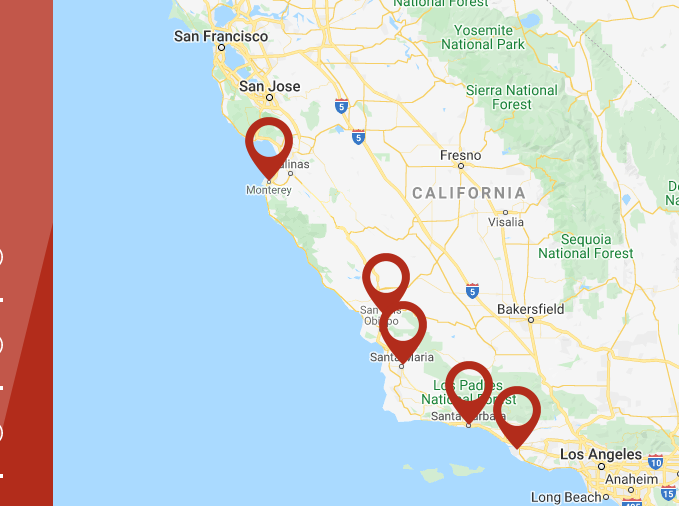
Comments